Anti-spam

RaidProtect's anti-spam automatically detects and sanctions spam on your Discord server: repeated messages, mass mentions, flood and mass link sending, without a moderator having to step in. Thanks to its automatic detection, it handles problems on its own.
❓ How does anti-spam work?
RaidProtect's anti-spam automatically detects and blocks suspicious behavior. It distinguishes between two types of spam.
- Heavy spam: Messages containing invite links, mass mentions, or images. This kind of spam is often used during raids.
- Light spam: Messages sent frequently but less intrusive.
RaidProtect's anti-spam acts in two ways.
- Sanctions: Automatic kick or ban of spammers.
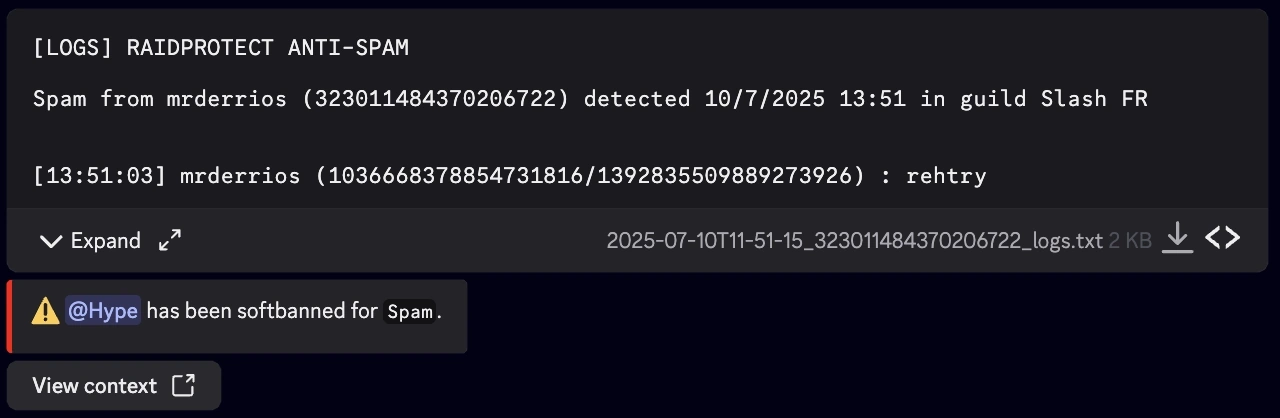
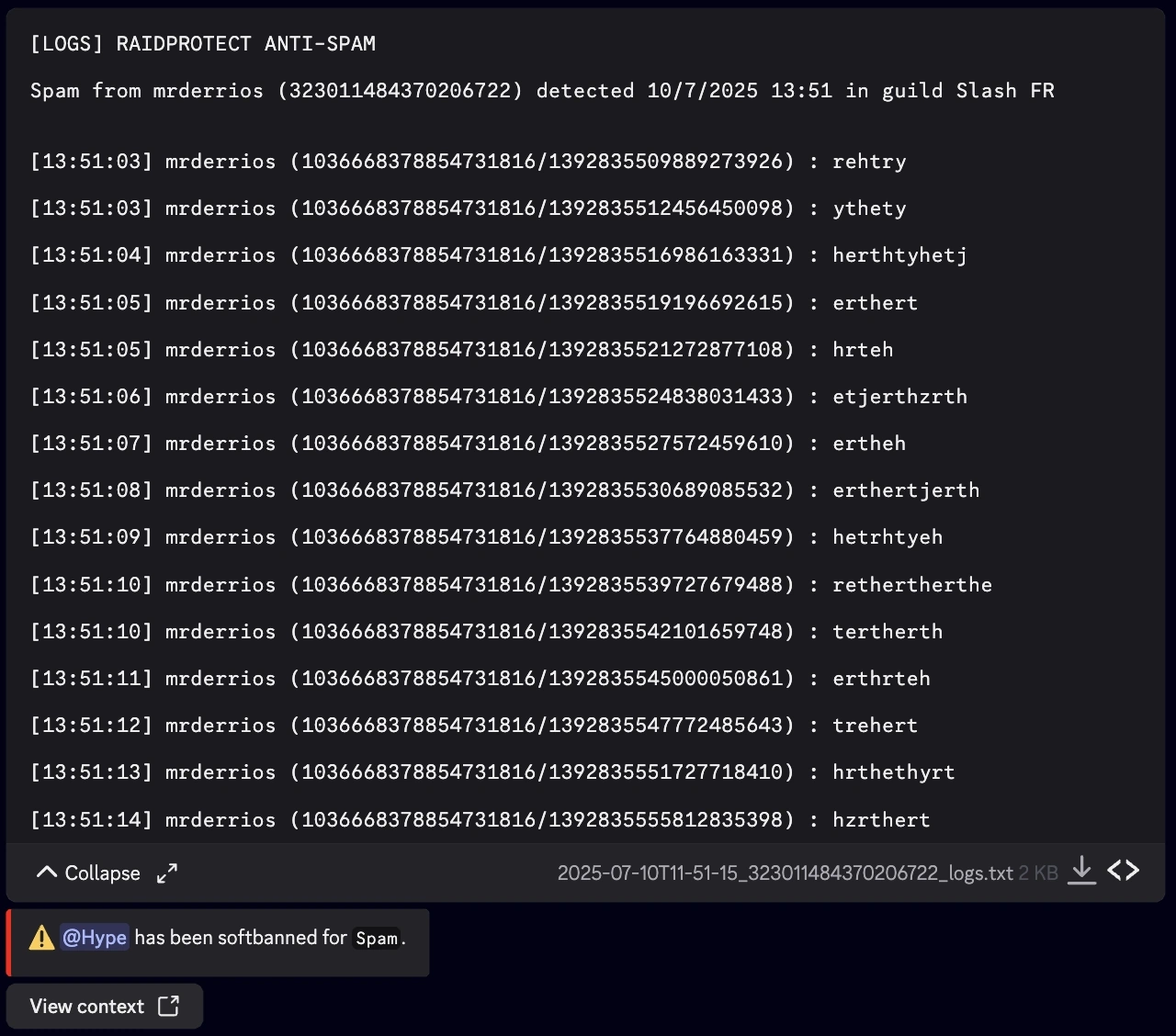
- Notifications: Messages sent to the logs channel to report blocked spam, with a preview of the detected actions.
🛡️ Anti-spam configuration
The anti-spam is turned on or off with a simple switch. Once enabled, it watches the whole server (except ignored channels, roles, and members) and applies, for each type of spam, the sanction you defined.
 Ignored channel(s)
 Ignored role(s)
 Ignored member(s)
Enable or disable the anti-spam
- Run the
/settingscommand. - Click the "Anti-spam" button.
- Enable or disable the anti-spam. Everything else is tuned per trigger, in the "Sanctions" tab.
Manage ignored roles, users, and channels
You can exclude certain channels, roles, or even users from anti-spam monitoring for more flexibility. 😉
- Run the
/settingscommand. - Click the "Anti-spam" button.
- Select the different options to ignore in the various selectors:
- Channel(s) to ignore
- Role(s) to ignore
- Member(s) to ignore
Channels containing "spam" in their name are automatically ignored. Users with the administrator permission are completely ignored.
Configure sanctions by trigger
You can customize the sanctions applied based on the type of spam detected. This allows a response adapted to the severity of the offense.
- Run the
/settingscommand. - Click the "Anti-spam" button.
- Go to the "Sanctions" tab.
- For each trigger, select a specific sanction. You can modify these values using the dropdown menus:
- Select a trigger: choose the type of spam to configure.
- Select a sanction: choose the corresponding sanction.
Sanction types and triggers
Here are the different available sanctions:
- Warn: Sends a warning to the member.
- Timeout: Mutes the member for a defined duration.
- Mute: Assigns the Mute role configured on your server.
- Jail: Assigns the Jail role configured on your server.
- Kick: Kicks the member from the server.
- Softban: Bans then immediately unbans the member, thereby deleting their messages.
- Ban: Permanently bans the member.
- Disable: Turns the trigger off completely, no sanction will be applied.
For the "Duplicate spam or heavy spam" and "Multi-channel spam" triggers, the mildest selectable sanction is Timeout (no Warn): this is serious spam that warrants a firm response.
And here are the triggers that RaidProtect can detect, with the sanction applied by default:
| Trigger | Description | Default sanction |
|---|---|---|
| Spam | Repeated message sending | Warn |
| Selfbot spam | Using selfbots to spam | Softban |
| Mention spam | Repeated mass mentions | Softban |
| Link spam | Mass link sending | Ban |
| External command spam | Using external commands to spam | Ban |
| Attachment spam | Mass sending of files or images | Disabled |
| Duplicate spam or heavy spam | Copy-pasted messages or excessive spam | Softban |
| Scam images (Crypto Scam) | Scam images detected by ScamLens | Timeout |
| Multi-channel spam | Spam spread across several channels | Jail |
The Multi-channel spam trigger is special: its sanction replaces the one from the original trigger when the spam hits several channels, but only if it is more severe.
 Spam :
  Spam with selfbot :
  Spam of mentions :
  Spam of links :
  Spam de commandes externes :
  Spam de duplicatas OU Spam importants :
  Scam images (Crypto Scam) :
  Sanctions duration
By default, every anti-spam sanction is announced by a public message in the channel. Premium servers can hide this message for more discreet moderation.
Sanctions duration
When the sanctions applied by the anti-spam support a duration (mute, timeout, jail), you can set a single duration applied to all of these sanctions (1 hour by default).
- Run the
/settingscommand. - Click the "Anti-spam" button.
- Go to the "Sanctions" tab.
- Pick a predefined duration in the "Sanctions duration" selector, or click "Custom duration" to enter the value of your choice (e.g.
30m,2h,7d).
The duration is ignored for sanctions that do not support one (kick, softban, ban, warn).
📑 Anti-spam logs
Detailed logs are generated with all the messages deleted by the anti-spam. You can simply download or expand the content.
- Collapsed
- Expanded
Frequently asked questions
Does anti-spam work without any configuration?
Yes. It automatically detects and blocks spam behavior right from installation. You can then customize the sanction for each type of spam to fit your needs.
Does the anti-spam have security levels (high, medium, low)?
No. The anti-spam is simply enabled or disabled. Fine-tuning is per trigger: each type of spam has its own sanction, which you can adjust or disable completely.
Can I exclude certain channels or members from anti-spam?
Yes, you can ignore specific channels, roles or members. Channels whose name contains "spam" are ignored automatically, and members with the administrator permission are always ignored.
Can I choose the sanction applied to spam?
Yes. Each type of spam (trigger) can get its own sanction, from a simple Warn to a Ban, including Timeout, Mute, Jail, Kick or Softban. You can also disable a trigger completely.
